


The Mercury News
2.1283.00 Reviews
App Specs
- Version
- 10.0.60
- Updated On
- License
- Free
- Downloads
- 50,000+
- Developer
- MediaNews Group, Inc.
- Categories
- News & Magazines
- Platform
- Android
Screenshots



 Analysis by AppCompare
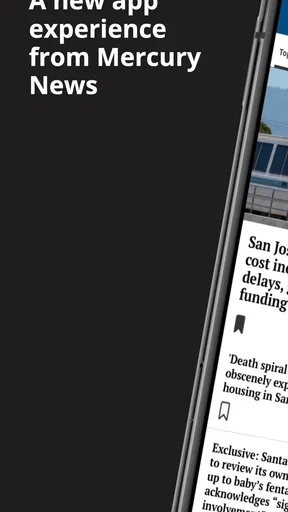
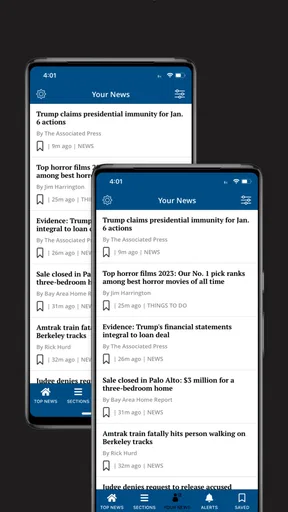
I spent time with The Mercury News as a mobile news app and came away with a fairly clear impression: it is most useful when you already want reporting connected to the publication, rather than when you need a completely neutral, all-purpose news dashboard. The app brings together news, technology, sports, business, lifestyle, and entertainment in one place, but its real value depends on how comfortably you can move through a busy stream of headlines and how much you enjoy reading on a phone.
It is a free app from MediaNews Group, Inc., aimed at Everyone, and it has been available since November 23, 2011. The current release is version 10.0.60 and requires Android 8.0 or later. That makes it accessible to many people using older phones, although the experience will still depend heavily on the handset’s screen, operating system settings, and general performance.
My overall view is mixed. The subject range is broad enough for a morning scan, and the app can be handy when I want to move from local news to technology or sports without opening several separate services. At the same time, the average score of 2.1 from roughly 485 ratings signals that many readers have encountered friction. I would not ignore that warning, especially if you need a polished, highly adjustable reading experience.
How the reading experience works for different people
I find that the reading experience is less about how many topics the app contains and more about whether its headline-led browsing fits the way someone likes to catch up. In this section, I’d look at how different reading habits and access needs can change that fit, then turn to a practical routine for deciding whether it works comfortably on your own phone.
Readability and navigation
The first thing I noticed is that the app is built around quick discovery. Headlines act as the main signposts, so I can skim the available sections before deciding what deserves a closer look. That approach suits readers who prefer to browse rather than follow a carefully organized reading list. It also makes the app useful during short breaks, when I want to see what is happening without committing to a long session.
The broad editorial mix is both a strength and a weakness. News and business may be the reason I open it, while technology, sports, lifestyle, or entertainment give me something else to explore. However, a wide selection can make the screen feel less focused than a dedicated local-news app or a single-topic reader. If you mainly want one section, I recommend developing a simple routine: open the app, identify the section you care about first, and avoid treating the entire front page as a required reading order.
That small habit matters for readers with attention-related needs. A stream of changing headlines can be useful for discovery but tiring when every item appears equally urgent. I found it easier to choose one topic at a time instead of repeatedly scanning the whole feed. This is not a dramatic feature hidden in a menu; it is a practical way to reduce cognitive load when the app presents more material than I can comfortably process.
Worth Reading Before You Choose

EA SPORTS FC Mobile 26 Is a Bigger Football Game, but It Takes Time

Flipboard Shows What News Apps Must Do Beyond the Feed

Switching to Android Auto Means Rethinking Your Driving Routine

Google Calendar Makes a Crowded Week Easier to Manage

Ludo King Makes the Most of the Minutes Between Plans

Baby Panda World Brings Quick Play to Modern Phones, but Its Game Library Feels Busy
Text size is another important consideration. The app is a news reader, so comfortable typography matters more here than it would in a simple utility. I would check how the latest version responds to the phone’s own display and text settings before relying on it for long sessions. On a smaller screen, dense headlines can become tiring even when the articles themselves are worthwhile. Readers with low vision may prefer a larger phone, stronger system contrast, or a separate reading environment that gives them more control.
I also think about the difference between scanning and deep reading. The Mercury News works naturally for the first task: glance at headlines, open an item, and decide whether to continue. For extended reading, the phone’s screen becomes more important, and any interruption or visual clutter feels more noticeable. I would use it for several short visits rather than assuming it will replace a comfortable newspaper layout or an e-reader-style application.
Motor and sensory considerations
News apps often look simple, but they still ask the user to perform repeated taps, swipes, and back-and-forth movements. That can be tiring for people with limited dexterity, tremors, joint pain, or one-handed use. My practical advice is to avoid rapid navigation. Let each screen settle, use deliberate taps, and keep the phone supported rather than trying to operate it while walking or carrying something.
A larger device can make the experience easier because headlines and controls have more room. A smaller phone may be convenient in a pocket, but it increases the chance of tapping the wrong story or losing your place while scrolling. This is especially relevant when the app is used by someone who relies on a stylus, a switch-access setup, or another alternative input method. I would test the basic path from opening the app to selecting an article before making it part of a daily routine.
For sensory needs, the setting matters as much as the app. A bright news screen can be uncomfortable in a dark room, while glare can make it difficult to read outdoors. I found that adjusting the phone’s brightness and display mode before reading was more useful than trying to solve everything inside the application. People sensitive to motion or visual change may also prefer slower, shorter sessions, with the phone held steady and notifications from other apps reduced.
Audio is a particular question for anyone who cannot comfortably read a long article on screen. I would not choose this app solely on the assumption that every story can be consumed through a complete spoken-news workflow. If you depend on text-to-speech, screen-reader navigation, or enlarged text, test a few different article pages rather than judging the experience from the front screen alone. The important issue is consistency: a reader needs to know whether headings, controls, and article text are presented in a usable order.
That testing approach is also helpful for older family members. I could imagine recommending the app to a relative who wants a familiar news source, but I would first set up the phone with a readable display, stable orientation, and a straightforward home-screen shortcut. The app itself cannot compensate for every device-level difficulty. A little preparation can make the difference between a useful daily news habit and an application that feels needlessly demanding.
Situational access in everyday life
The app makes the most sense in ordinary moments when I have a few minutes to catch up. For example, I might open it during breakfast, scan the main topics, read one local story, and then check technology or sports before leaving home. The same workflow works during a commute if I am seated and the lighting is reasonable. I would avoid trying to read while moving through a crowded station, not only for safety but because small text and constant motion make concentration harder.
It can also help when I want one place for several interests. Someone who follows business during work hours but switches to sports in the evening may appreciate not having to maintain separate apps. A student could use the technology and general news sections for a quick overview, while a household might share the app as a casual source for conversation starters. These are modest use cases, but they fit the app better than expecting it to function as a fully personalized research system.
People with limited data, battery, or connectivity should think about when they use it. A news app is most convenient when articles load reliably, and interruptions can make reading frustrating. I would open stories before entering a place with uncertain reception if I needed uninterrupted access, while remembering that the app should not be treated as an emergency information channel. For critical updates, I would use the most direct official source available for the situation.
Work and family contexts create different demands. At a desk, I may prefer reading news in a browser because a larger display supports side-by-side comparison and easier text selection. On a phone, the app wins when speed and portability matter more than research depth. In a shared environment, headphones or silent reading may be preferable, but the best choice depends on the person’s sensory needs and the device’s controls.
There is also a useful distinction between discovery and verification. The Mercury News can help me notice a topic, but I would not stop at a headline when the information affects a decision, a purchase, travel, health, or safety. I would open the full article, check its context, and compare important claims with a suitable primary source. That is good news-reading practice, and it is particularly important when a fast-moving feed encourages quick reactions.
Costs, account expectations, and remaining barriers
The app is free to install, which makes trying it low-risk. However, in-app purchases range from $11.99 to $139.99 per item. That is the point where I would slow down and read the purchase screen carefully before confirming anything. A reader who only wants occasional headlines may find the free entry point appealing, while someone planning to use the app as a primary news subscription should understand exactly what a purchase provides and how it fits their reading habits.
For families, I would also make sure the person using the phone understands when a screen may lead toward a paid option. This is not just a financial concern; it is an accessibility concern too. Unexpected purchase prompts can be confusing for users with memory difficulties, limited digital confidence, or vision challenges. A trusted family member can help configure device-level purchase protections and explain the difference between reading freely and choosing an optional paid item.
The published audience rating of Everyone is reassuring for households looking for a general news application, but it does not mean every article will suit every reader emotionally. News can involve upsetting subjects, and younger users may still need guidance about context and source quality. I would treat the age label as a broad suitability marker, not as a promise that all content will feel comfortable.
The app’s install base is over 50,000, which suggests it has reached a meaningful group of Android users without making it one of the enormous mainstream platforms. Its 283 reviews provide more context than the overall score alone: the low average is a reason to test the current experience on your own phone instead of assuming it will match another person’s setup. Device differences, operating-system settings, and reading expectations can all affect how accessible a news app feels.
The biggest barrier for me is not the range of topics; it is the possibility that the app may ask for more patience than some readers have. People who want a highly customizable feed, dependable accessibility behavior across every screen, or a completely distraction-free reading mode may be happier with a browser, a dedicated screen-reader-friendly source, or an aggregator that offers stronger filtering. A browser can also be better when I need to compare several publications at once.
Another trade-off is editorial focus. The app’s connection to The Mercury News is useful if that publication’s coverage matches what I want. It is less suitable if my priority is international breadth, a single specialist subject, or a feed assembled from many independent outlets. I would choose it for a publication-centered habit, not as the only tool for understanding every major event.
Who should use it, and who should skip it?
I would recommend trying The Mercury News to readers who want a free starting point for general news and enjoy moving between several sections. It is a reasonable fit for casual browsing, quick morning updates, and people who prefer a publication’s own app over a crowded aggregator. The low operating-system requirement also gives it a chance on older Android phones, provided the device remains comfortable to use.
I would be more cautious with readers who have strict accessibility requirements. If you need guaranteed support for a particular assistive technology, very large text, predictable focus order, or a fully spoken workflow, test the exact tasks you perform every day before depending on it. The most important test is not whether the front page opens; it is whether you can find a section, open an article, read it comfortably, return to the list, and avoid accidental purchases.
I would also skip it as a primary choice if I need advanced personalization or a research-oriented workspace. A specialist news reader, a browser with carefully selected bookmarks, or an aggregator may offer better control over sources and topics. Likewise, people who dislike switching between sections may prefer a focused app dedicated to local reporting, finance, sports, or technology.
My inclusive verdict
After using it, I see The Mercury News as a practical but imperfect publication app. Its strongest quality is its breadth: I can move among news, technology, sports, business, lifestyle, and entertainment without changing services. Its weakest point is the uncertainty around how smoothly that experience will work for every reader, particularly those who need dependable control over text, navigation, input, or purchase-related screens.
The best way to judge it is to test the complete reading routine, not just the download screen. Open it on your usual device, adjust the phone for your eyes and hands, try a short article, and check whether returning to the section feels manageable. If that routine is comfortable, the app can become a convenient part of a daily news habit. If it feels crowded or demanding, a browser or more specialized alternative will probably serve you better.
For me, the app earns a cautious recommendation for casual readers who value variety and portability. I would keep another source available for comparison, important verification, and situations where accessibility or deep reading matters more than convenience. In short, it is worth trying because it is free to start, but it should earn a permanent place on your phone through everyday usability rather than through its topic list alone.
Pros
- Fast access to breaking news from the San Francisco Bay Area.
- Covers local politics
- business
- sports
- and community stories in depth.
- Clean layout makes articles easy to browse and read.
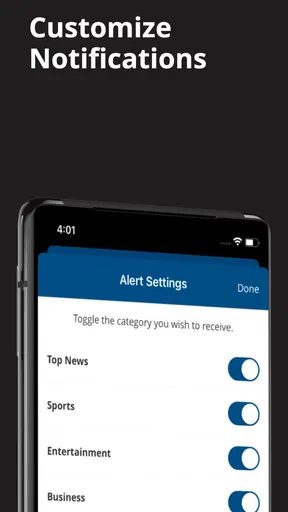
- Breaking-news alerts help you stay informed throughout the day.
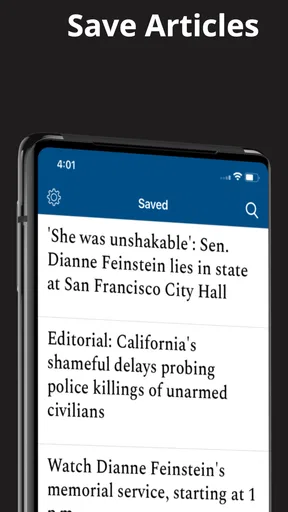
- Supports saving articles for reading later.
Cons
- Many premium stories require a paid subscription to access.
- Some content may feel too focused on the Bay Area for other readers.
- Frequent notifications can become distracting if not customized.
- App performance may vary on older Android or iOS devices.
- Advertising can interrupt the reading experience for non-subscribers.
FAQs for The Mercury News
What is The Mercury News app?
The Mercury News app is a mobile news platform focused primarily on San Jose, Silicon Valley, and the wider Bay Area. It provides access to local reporting, breaking news, politics, business, technology, sports, entertainment, opinion, and other regional coverage. The app is designed for readers who want current articles and updates in a convenient format on Android or iOS devices.
Is The Mercury News app free to download and use?
The Mercury News app can generally be downloaded free of charge, but access to all articles and premium content may depend on the publication’s subscription rules. Some stories may be available without payment, while frequent reading or full access can require a digital subscription. Before downloading, users should check the current pricing, trial terms, and account requirements shown in the app or app store.
What type of news and content can I read in the app?
The app concentrates on news relevant to the Bay Area, including local communities, San Jose, Silicon Valley, California politics, crime, education, transportation, housing, technology, business, sports, and cultural events. It may also include opinion pieces, investigative journalism, newsletters, photo coverage, and breaking-news updates. The exact sections and available features can change as the publisher updates the service.
Does The Mercury News app require an account or subscription?
An account may not be necessary to download the application or read every freely available story, but registration is commonly needed for personalized features, subscription management, saved content, newsletters, or continued access to subscriber-only articles. A subscription may also be required after reaching a content limit. Users should review the sign-in and payment information carefully before starting any trial or recurring plan.
Can I receive breaking-news notifications from The Mercury News?
The Mercury News app may support push notifications for breaking stories, major local developments, sports updates, and other important coverage. Notification availability can depend on the current app version and the permissions selected during setup. You can usually manage alerts through the app’s settings or your device settings, allowing you to keep urgent updates enabled while disabling categories that are not relevant to you.


